Introducing Fanny for macOS
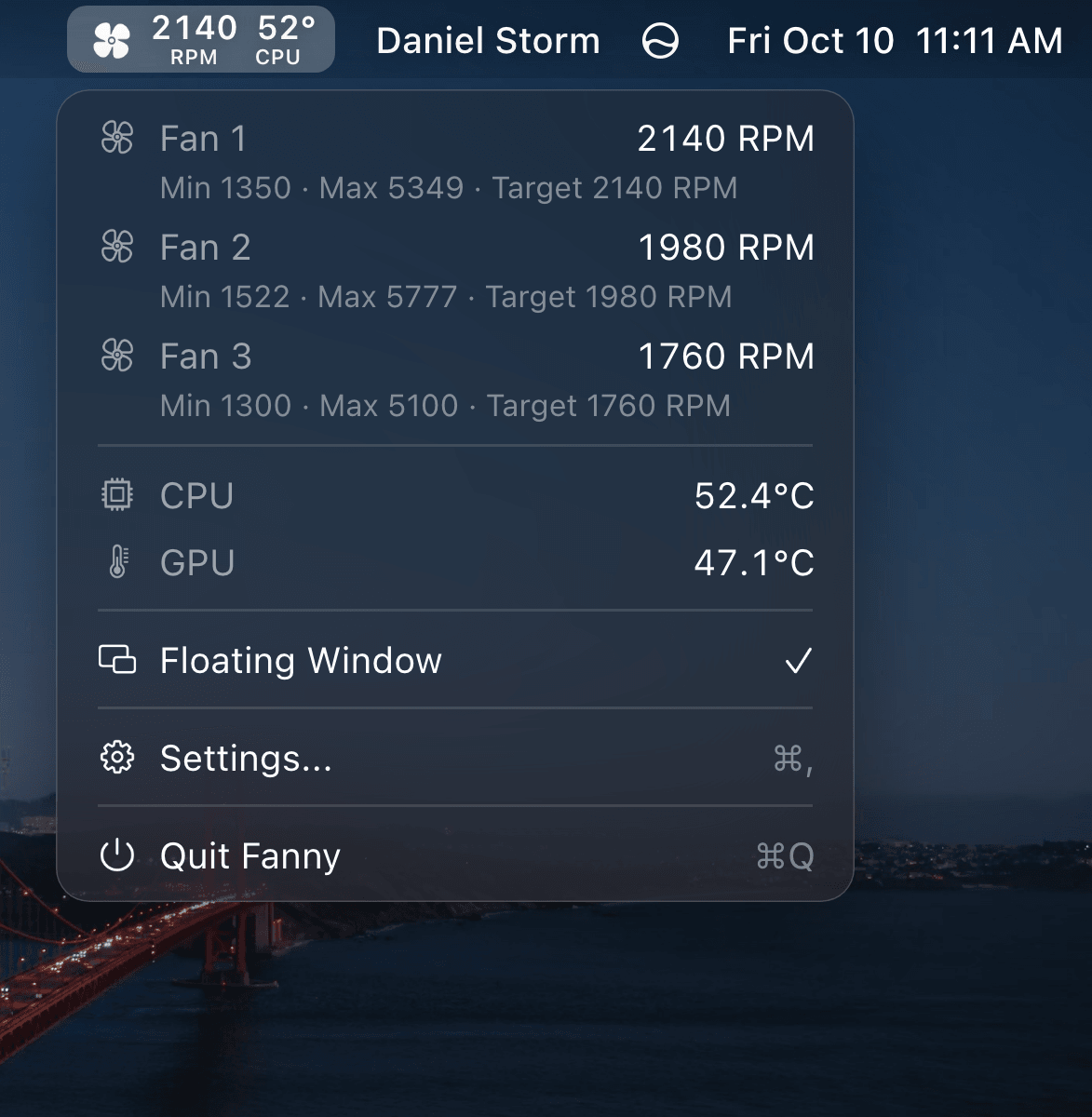
Fanny is a free Widget and Menu Bar application to monitor your Mac's fans.
- Compact design allowing you to keep an eye on your system's fans and CPU/GPU temperature while not cluttering up your work space.
- Get information on current speed, target speed, minimum speed, maximum speed, number of fans, and CPU/GPU temperature.
- Simply open the Widget or Menu Bar application to glance at your Mac's fan stats.
Requires macOS 27 or later



Positive
Everything you need to stay positive.
4.8 · 1,000+ reviews on the App Store
Help keep Fanny free for everyone by downloading my other app Positive. It's free on iPhone and Apple Watch.
Get Positive (Free)